
Want to run a second website on the same hosting account? An addon domain lets you host a completely separate website — with its own domain, files and email — inside your existing plan (if your plan includes addon domains).
✅ Before you start
- You must own the domain you want to add
- Point that domain to our nameservers first: ns1.my.zedgehost.com and ns2.my.zedgehost.com (at the place where you bought the domain)
- Log in to cPanel
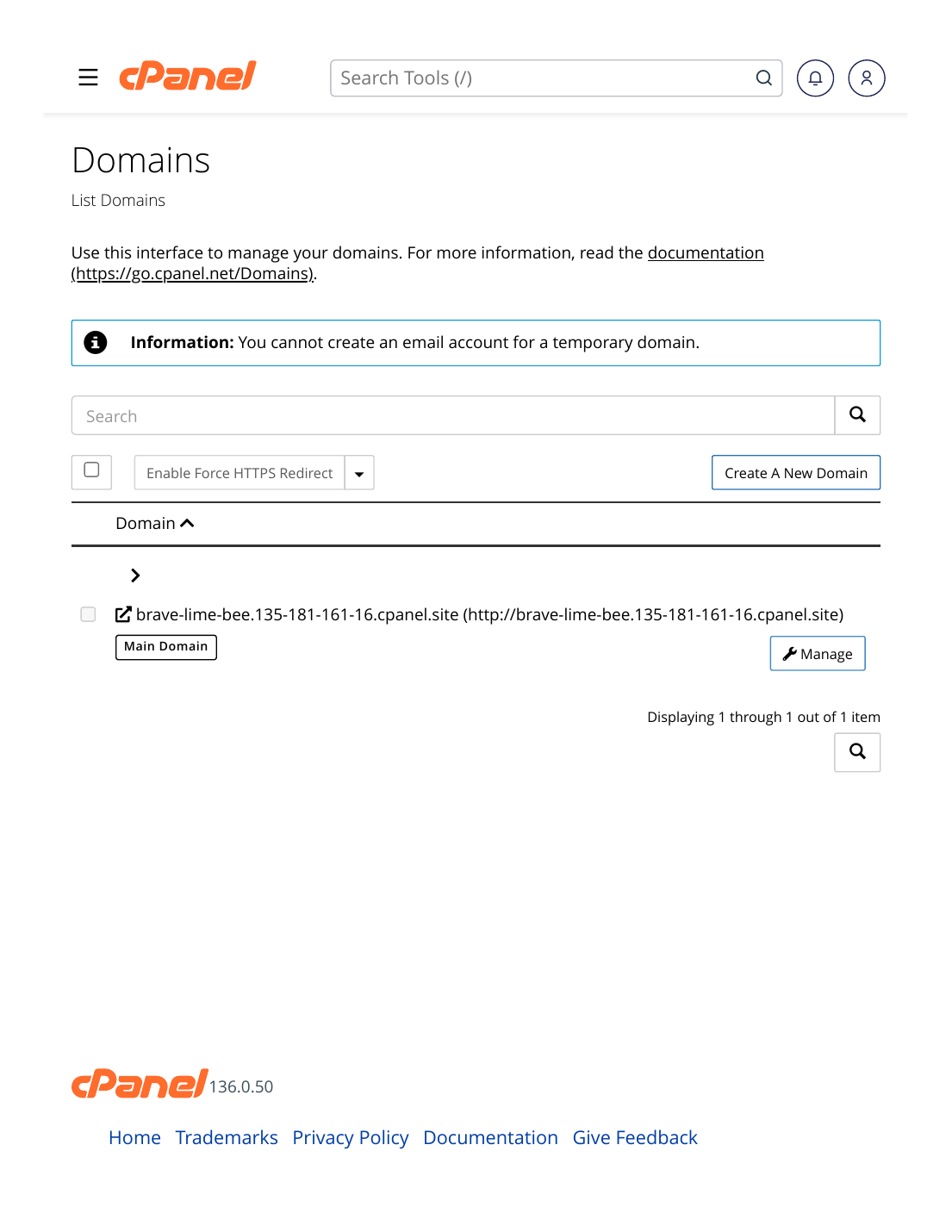
Steps
- Log in to cPanel and scroll to the Domains section.
- Click "Domains".
- Click "Create a New Domain".
- Type the new domain name — for example: example2.com
- Untick "Share the document root" so the new website gets its own folder (its own home on the server). cPanel suggests a folder name — you can keep it.
- Click "Submit".
✅ Result: The domain is added to your account with its own folder (document root). Upload the new website's files into that folder — for example with File Manager or FTP — and install WordPress there with Softaculous if you want. The site goes live once DNS finishes updating (usually a few hours).
Good to know: each addon domain can have its own email accounts (Email → Email Accounts), its own SSL certificate (free with Let's Encrypt), and its own WordPress install — it behaves like a separate website in almost every way.
⚠ Common mistakes & fixes
- Forgetting the nameservers: if the domain still points to another host, the website will never open from your ZedgeHost account. Change the nameservers at your registrar and wait for DNS.
- Leaving "Share the document root" ticked: both domains then show the SAME website. Untick it for a separate site.
- "Domain already exists" error: the name may already be added as a subdomain or alias. Check the Domains list — or open a support ticket and we will sort it out.
Related articles
- How to Create a Subdomain
- How to Point Your Domain to ZedgeHost (Nameservers)
- How to Upload Your Website Files (public_html Explained)