
If your emails land in spam — or other people can pretend to send FROM your domain — the cause is usually three DNS records: SPF, DKIM and DMARC. Together they prove your emails are really from you. cPanel has a dedicated tool that checks and fixes them: Email Deliverability.
What the three records do
| SPF | A public list of servers allowed to send email for your domain. Receivers check: "did this email come from an allowed server?" |
| DKIM | A digital signature added to your outgoing mail, matched against a key in your DNS. Proves the message wasn't altered on the way. |
| DMARC | Your policy for failures: tells receivers what to do when SPF/DKIM checks fail (watch, quarantine, or reject) and where to send reports. |
✅ Before you start
- Log in to cPanel
- Records can only be repaired automatically if your DNS is hosted here (domain on our nameservers). If your DNS lives elsewhere, the tool shows you the exact records to copy there instead
Steps
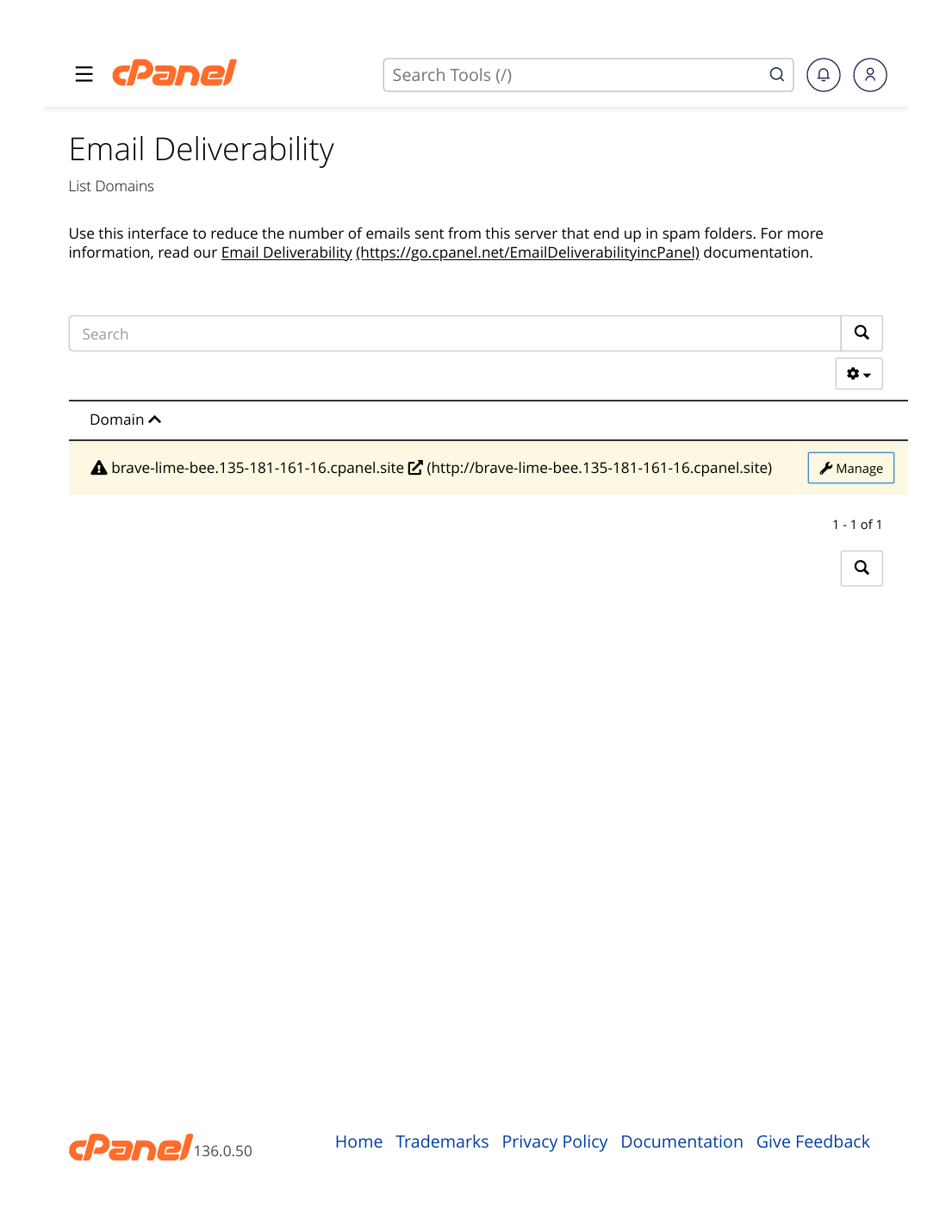
- Log in to cPanel → Email section → Email Deliverability.
- Find your domain in the list and look at its status — problems are flagged next to SPF, DKIM and DMARC.
- Click "Manage" next to the domain to see the details of each record.
- If a problem shows a suggested/fixed record, use the Repair option — cPanel installs the correct records for you.
- For DMARC, if no record exists, add one as a TXT record in the Zone Editor: name _dmarc, value v=DMARC1; p=none; to start in monitoring mode.
- Wait for DNS to propagate (usually under a couple of hours), then reopen Email Deliverability and confirm all three show as valid.
✅ Result: SPF, DKIM and DMARC all show valid for your domain. Your legitimate emails now pass the checks big providers (Gmail, Outlook) apply — the single biggest step out of the spam folder.
⚠ Common mistakes & fixes
- Two SPF records: SPF breaks completely if a domain has more than one. If you use another sender too (e.g. a newsletter tool), merge their include into your ONE existing record in the Zone Editor.
- Repair "worked" but status unchanged an hour later: DNS caching — wait a little longer and re-check before changing anything else.
- Setting DMARC p=reject on day one: start with p=none (monitor), confirm everything legitimate passes, then tighten to quarantine/reject later — otherwise your own mail may be rejected.
- DNS hosted elsewhere: repairing here won't change live DNS. Copy the exact records the tool suggests into your DNS provider's panel.
Related articles
- Why Emails Go to Spam — And How to Prevent It
- How to Manage DNS Records in cPanel (A, CNAME, TXT, MX)
- How to Create a Professional Email (you@yourdomain)